
Increase your chances with intelligent number combinations!
LOTTOer helps lottery players create optimal number combinations, save systems, check winnings and export combinations to PDF. It supports any 5- or 6-number lottery, works fast, contains no ads and is available in 10 languages.



Scan to download on Google Play

Scan to download on App Store
Smart number combinations based on selected lottery parameters
Works for all lotteries with 5 or 6 numbers and a number pool from 20 to 99
Multilingual, fast and intuitive interface
No ads — only useful tools for lottery players
Print and PDF export. Save systems for later replay and prize checking
Easy checking and tracking of winnings
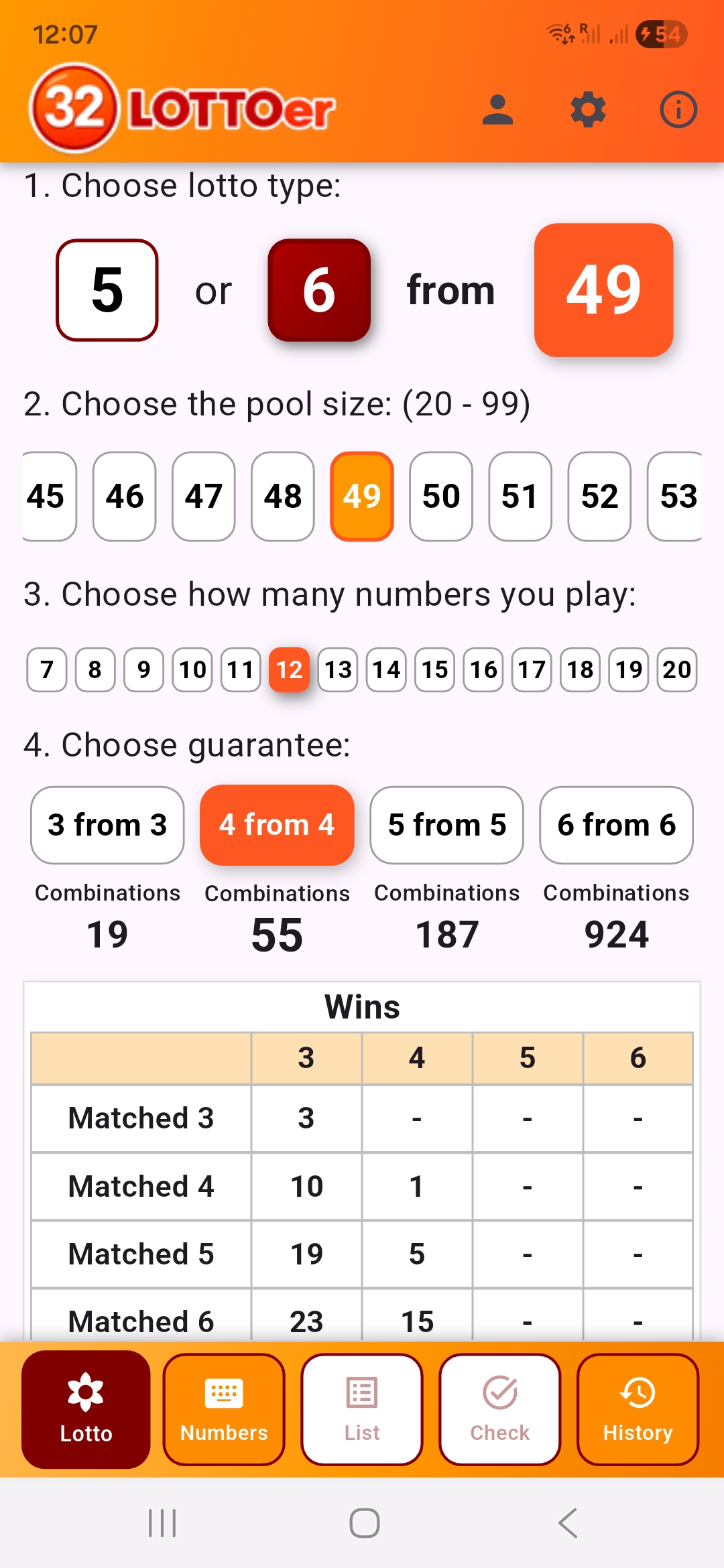
1. Main screen for selecting lottery type and game parameters
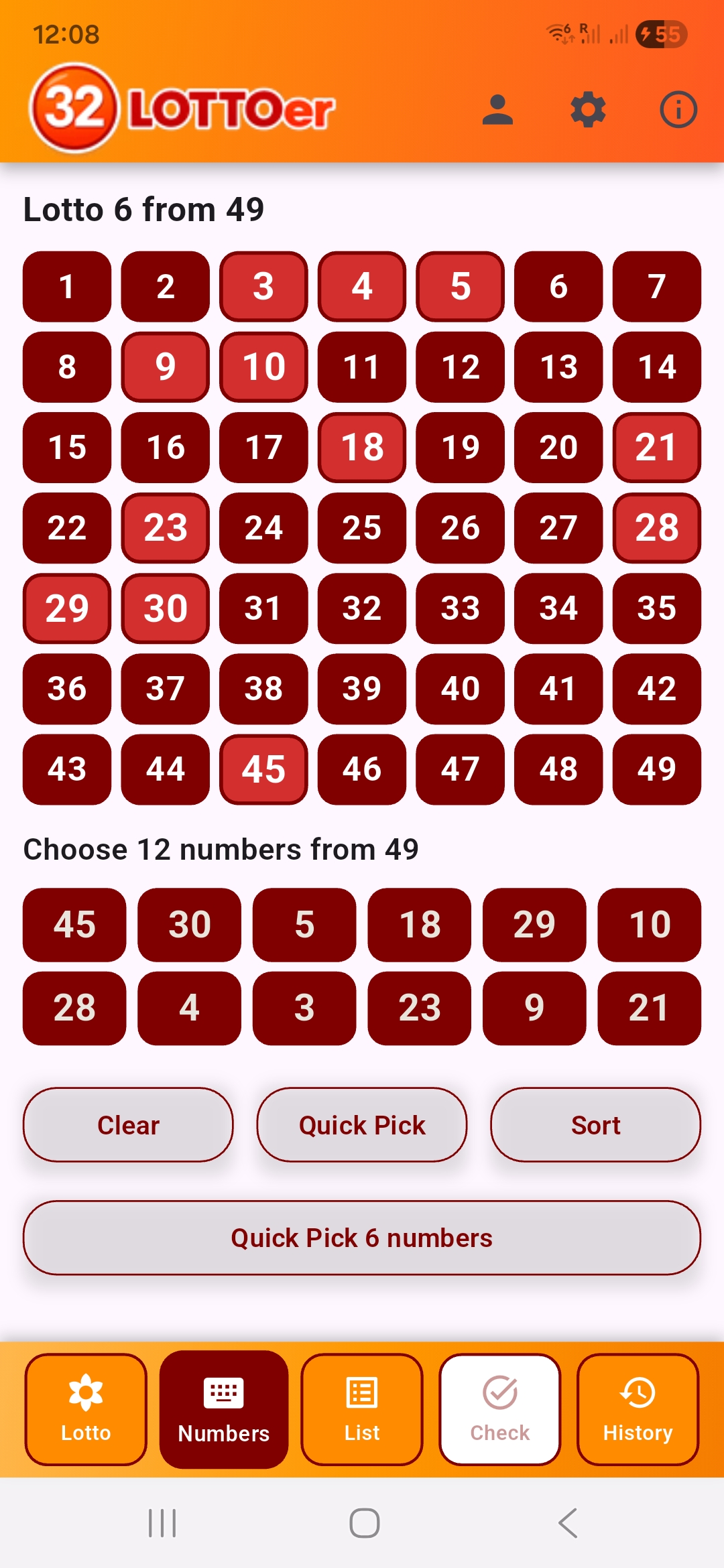
2. Number selection screen for combinations
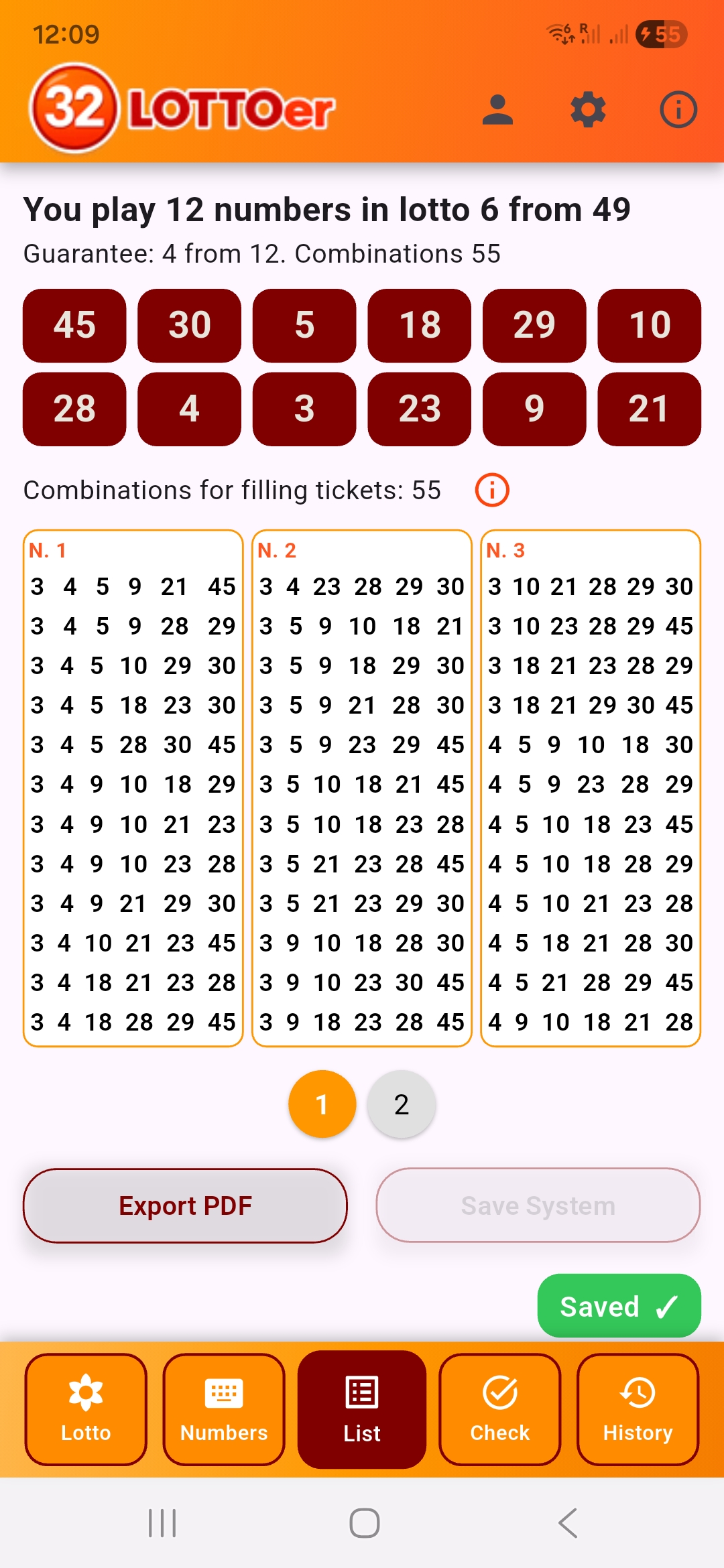
3. Number combinations for filling out tickets
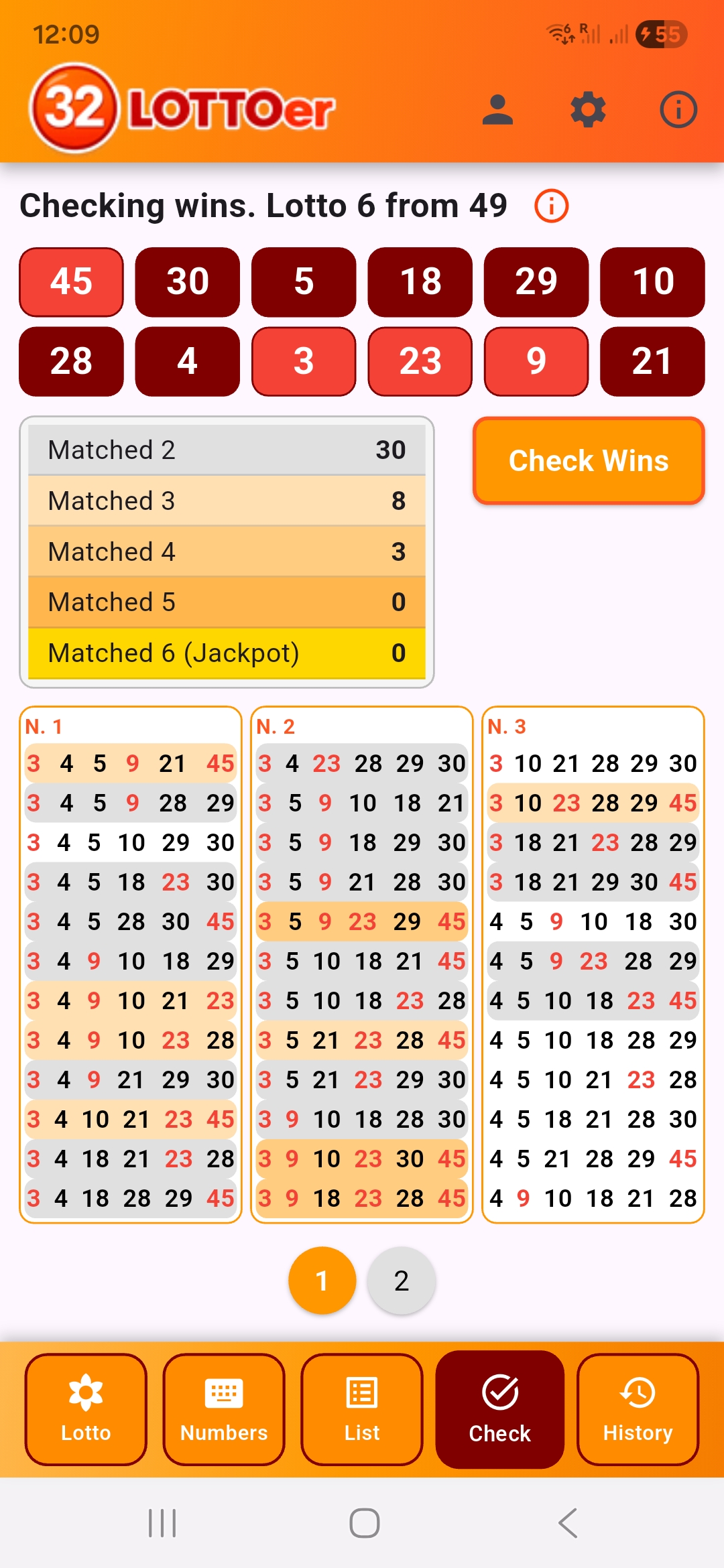
4. Checking the number of winnings
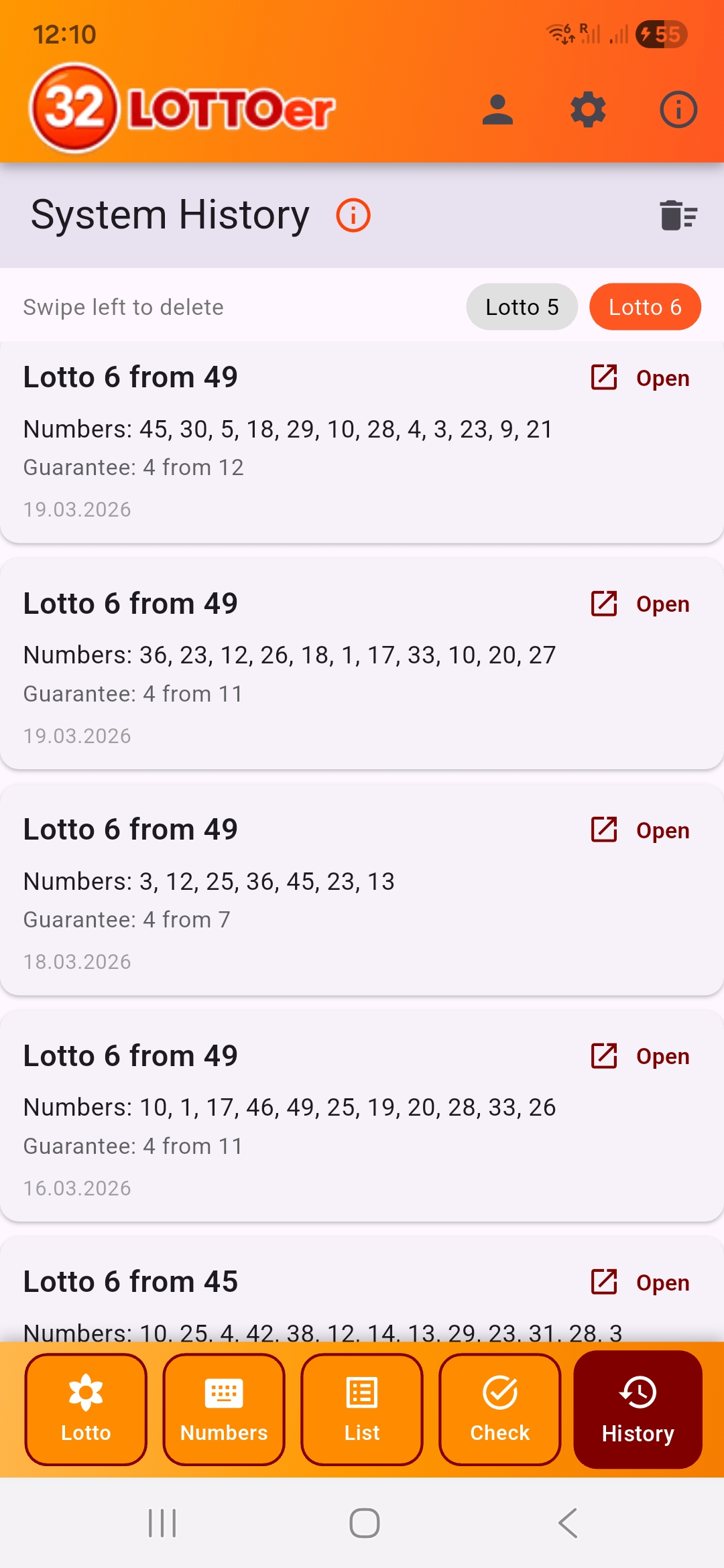
5. History of saved combinations
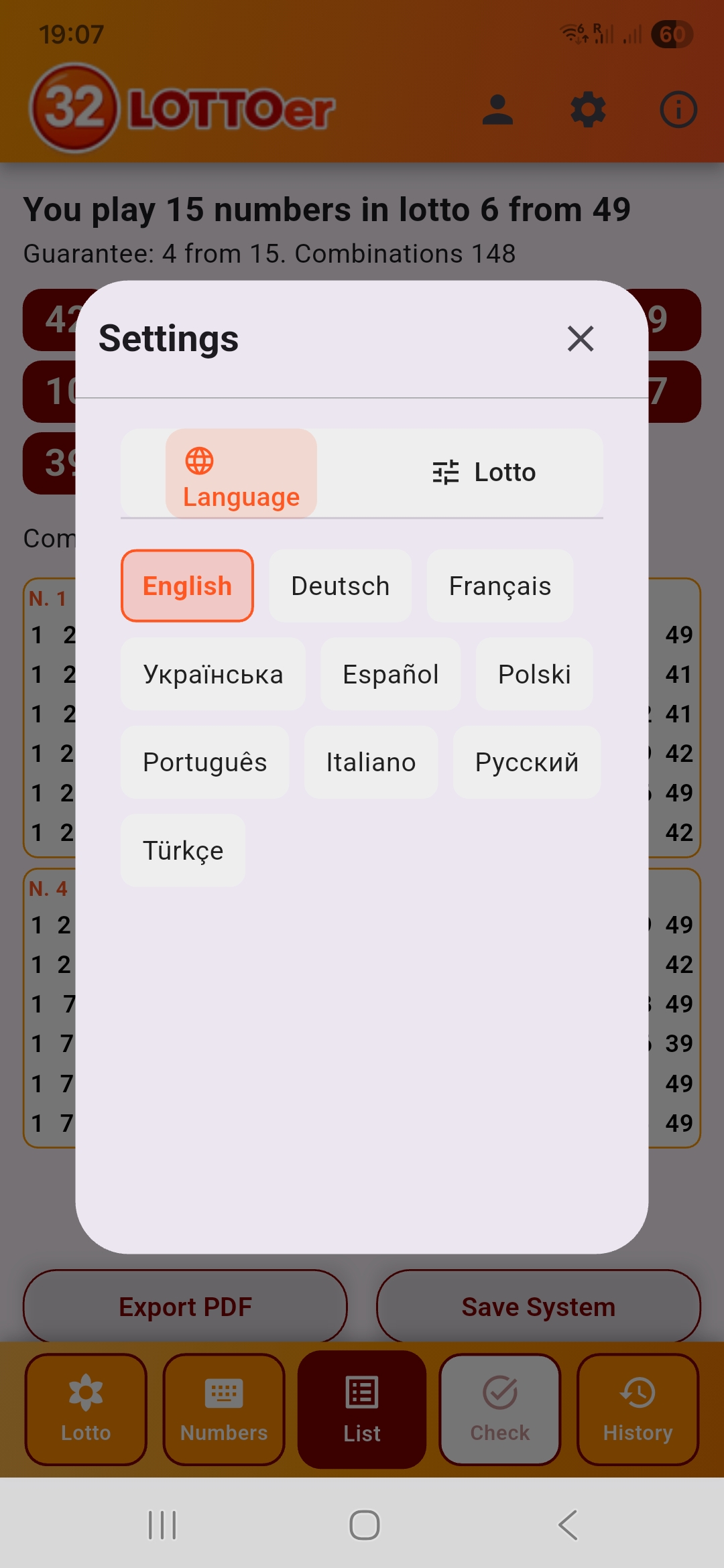
6. App language selection
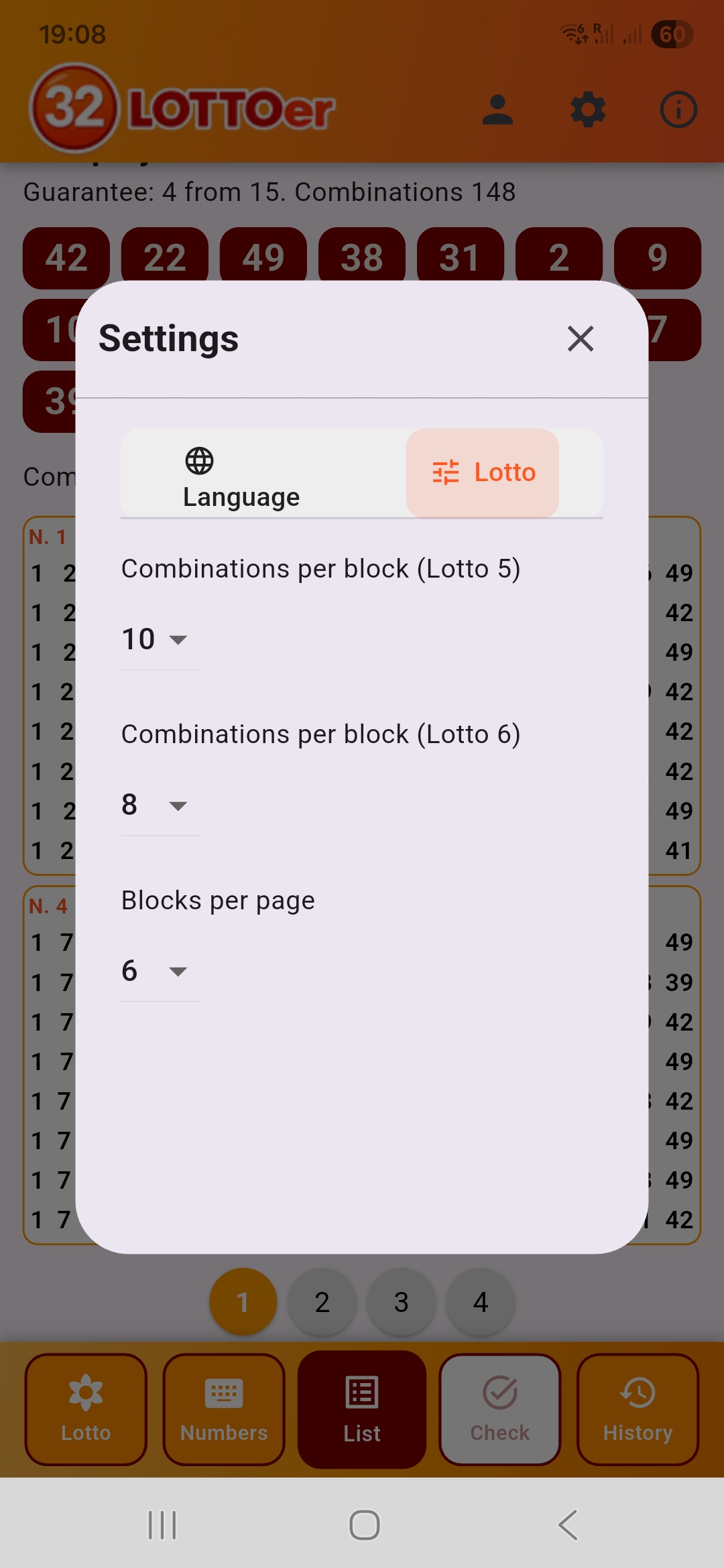
7. Settings for displaying number combinations
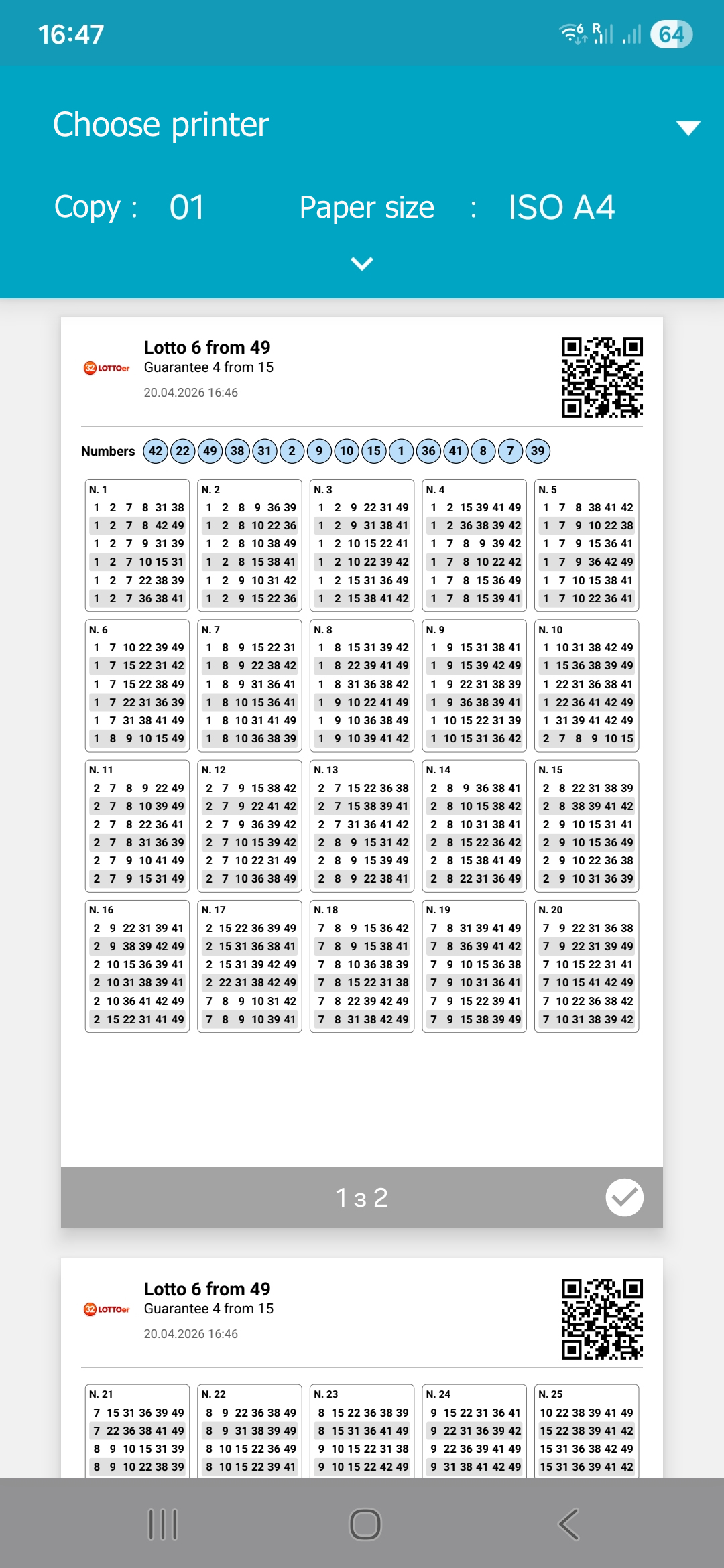
8. PDF export
Screen 1. 4 steps to select the lottery and game parameters.
Select which lottery you are playing: 5 or 6 numbers.
Select the total number pool: from 20 to 99.
Select how many numbers you want to play: from 7 to 20.
Select the guarantee* that the set of combinations must provide.
After that, you will see the required number of combinations you need to play.
The table below shows the minimum number of winnings you are guaranteed to receive depending on how many numbers you guess.
* Guarantee (example from the screenshot): you play 12 numbers. If 4 of them are guessed, there will be at least one combination with a 4‑number win.
Screen 2. You have several options for selecting numbers for combinations: quick pick, manual selection of each number, quick pick of one combination with manual completion of the rest. After selecting all numbers, you can choose whether to sort them before generating combinations. This does not affect the set of combinations in full systems. In reduced systems, the order may slightly change the set, but the total number remains the same.
Screen 3. Here you receive the full set of number combinations for filling out tickets. You can save this set for later prize checking or create a PDF file for printing or sharing.
Screen 4. Quick checking of winnings. Tap the guessed numbers — all winning combinations will be highlighted. You can also see the number and types of winnings in the table.
Screen 5. All your saved combination sets are here. By tapping a system, you open it on screen 4 for prize checking. The last 50 systems are stored. You can filter combinations by selecting only those that play 5 or 6 numbers. You can also delete any system with a left swipe or clear all saved systems with the clear button.
Screen 6. Select the app language in the settings. Currently, 10 languages are available. If your language is not yet supported — choose your country and language in the Cabinet, this helps us expand the list of supported languages.
Screen 7. Adjust the display parameters of number combinations. If your lottery tickets contain, for example, 6 combinations, you can set this option in the settings for each lottery type — 5‑number and 6‑number lotteries. You can also choose how many combination blocks to show on one page. This makes the output more convenient for drawing and exporting to PDF.
Screen 8. PDF export — you receive a file according to your settings. You can save this PDF for printing or sharing. The file contains the list of numbers, system type, and date.
Scan to download on Google Play
Scan to download on App Store